Table of Contents
ToggleInstalling a smart doorbell transforms how homeowners monitor their front entrance, and the Nest Video Doorbell has become one of the most trusted options in the market. Whether you’re concerned about package theft, want to screen visitors before answering the door, or simply wish to integrate your entryway into your smart home ecosystem, this device offers real-time video, intelligent alerts, and seamless app control. If you’re considering upgrading from a traditional doorbell or building out your home security system, understanding what the Nest Video Doorbell does and how to set it up matters. This guide walks you through everything you need to know to make an well-informed choice and get it running smoothly.
Key Takeaways
- The Nest Video Doorbell offers 960p live video, two-way audio, and person detection powered by machine learning to help you screen visitors and reduce false security alerts.
- Installation is a straightforward DIY task for wired models if your home already has a traditional doorbell—simply disconnect the old wires and connect the Nest to the same terminals in minutes.
- A Nest Aware subscription (starting around $8–$15/month) enables 24/7 continuous recording, face recognition, and up to 60 days of searchable video history for enhanced security.
- The Nest Video Doorbell integrates seamlessly with Google Home automation, allowing you to trigger actions like turning on porch lights or unlocking smart locks when motion is detected.
- Battery-powered models offer hassle-free installation without wiring but require periodic charging every 2–3 months and lack 24/7 recording capabilities compared to wired versions.
What Is the Nest Video Doorbell?
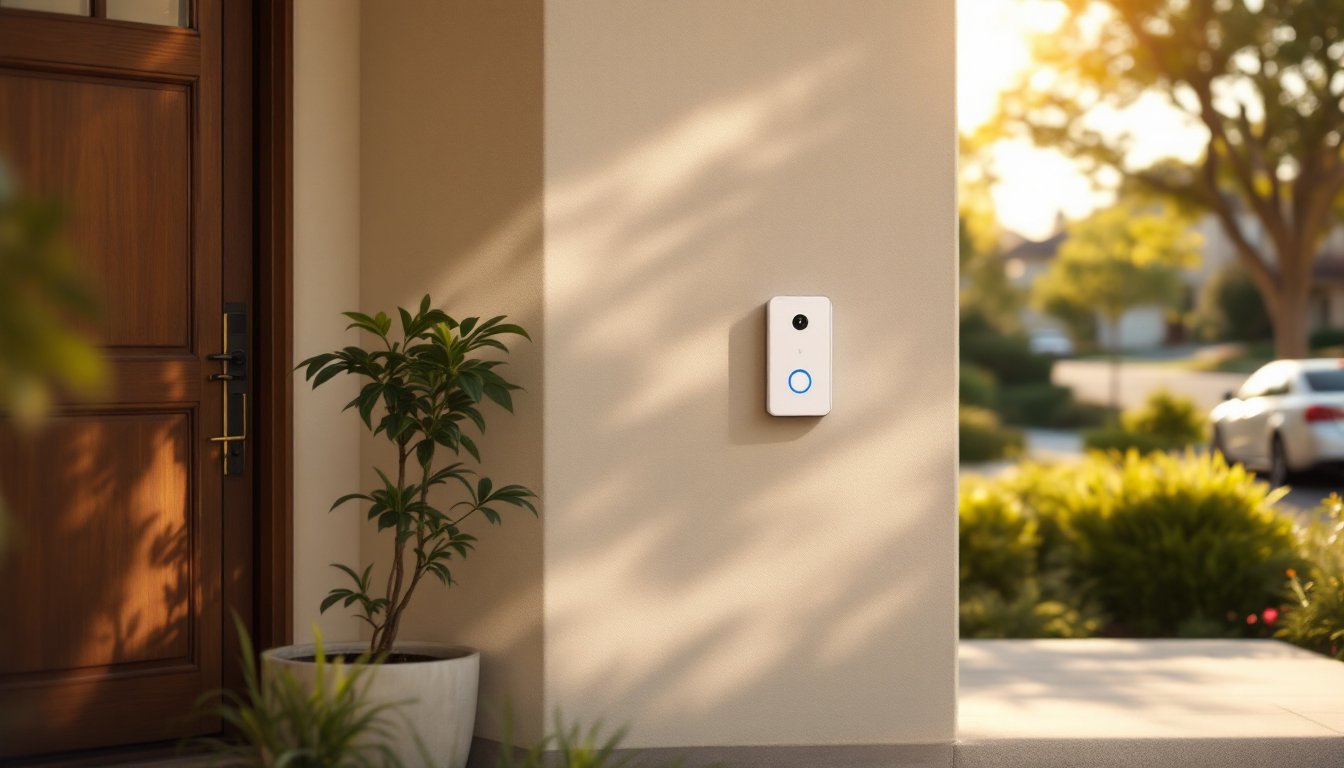
The Nest Video Doorbell is a smart doorbell camera that replaces your existing doorbell and streams live video to your smartphone, tablet, or computer. Unlike a passive chime, it captures footage whenever someone approaches your door, detects motion, and sends you instant notifications. The device connects to your home Wi-Fi network and pairs with the Google Home app (or the older Nest app), allowing you to view live feeds, replay recorded clips, and even talk to visitors remotely.
Google manufactures the Nest Video Doorbell as part of its broader smart home ecosystem. It’s available in both wired (hardwired to your existing doorbell circuit) and battery-powered models. The wired version is the more recent option and integrates more smoothly with other Google Nest devices. If you don’t have an existing doorbell circuit or prefer flexibility, the battery model remains a solid standalone choice, though it requires periodic charging or battery swaps.
Essentially, it’s a security camera built specifically for your front door, but one that also functions as your actual doorbell, so visitors can ring it just like a traditional model.
Key Features and Specifications
The Nest Video Doorbell packs several features that make it appealing for homeowners serious about security and convenience:
Video and Audio: The doorbell captures 1280 × 960-pixel (960p) video with a 160-degree field of view, wide enough to catch people standing to the side or in your driveway. Two-way audio lets you communicate with visitors even if you’re not home. Night vision (infrared) activates automatically when light drops, so you get clear footage after sunset.
Motion Detection and Alerts: Person detection uses machine learning to distinguish between people, packages, and animals, reducing false alerts from blowing leaves or passing cars. Custom activity zones let you set specific areas where you want alerts triggered, useful if you’re tired of notifications every time someone walks by on the sidewalk.
Video Recording: The wired model includes 24/7 continuous recording if you have a Nest Aware subscription, a paid plan (starting around $8–$15 per month) that also unlocks features like face recognition and extended video history. Without a subscription, the device stores brief activity clips only.
Power: The wired version draws power from your existing doorbell transformer (16–24 volts AC). The battery model uses rechargeable batteries and typically lasts 2–3 months per charge, depending on usage.
Dimensions and Mounting: The wired doorbell measures roughly 2.4 inches × 2.4 inches × 1 inch deep, similar in footprint to a single light switch, so it fits most standard doorbell locations. Mounting brackets are included, and the installation hardware is minimal.
Installation and Setup for DIY Homeowners
Wired Installation (Most Homeowners’ Choice)
If your home already has a traditional wired doorbell, upgrading to the Nest Video Doorbell is straightforward, no electrician required.
- Turn off power at the breaker controlling your doorbell circuit. Verify power is off using a non-contact voltage tester.
- Remove the old doorbell by unscrewing and disconnecting the two wires (polarity doesn’t matter on doorbells: they work either way).
- Connect the Nest wires to the same terminals using the provided wire connectors. Tuck excess wire into the wall.
- Mount the Nest doorbell using the included bracket and screws. Ensure it’s level and sits flush against the wall.
- Restore power and wait for the device to boot (LED will flash, then glow).
- Open the Google Home app, select “Set up device,” choose “Set up new device,” and follow prompts to connect the doorbell to Wi-Fi. You’ll need a 2.4 GHz Wi-Fi network (many routers broadcast both 2.4 and 5 GHz: the doorbell doesn’t support 5 GHz only).
Battery Installation
The battery model is even simpler: mount it with the included bracket and battery cartridge, then add it to your Google Home app. No wiring needed, though you lose 24/7 recording and faster response times compared to wired.
Common Gotchas
, Your existing doorbell transformer must output 16–24 volts AC. If you don’t have one, the battery model is your best bet (otherwise, a new transformer installation requires an electrician).
, Wi-Fi signal matters: The doorbell needs a strong, stable connection. If your entry is far from your router, consider a Wi-Fi extender or mesh system.
, The Nest doorbell won’t work with old mechanical chimes in some setups: you may need a smart chime or speaker to hear the doorbell ring inside your home if the original chime isn’t compatible.
How to Use Your Nest Video Doorbell
Once installed and connected, using the Nest Video Doorbell is intuitive. Open the Google Home app, tap your doorbell device, and you’re looking at the live feed. From there, you can snap photos, start or end a two-way call with the visitor, or review recent activity clips.
Mobile App Control and Notifications
The Google Home app (available on iOS and Android) is the main control hub. When someone rings your doorbell or motion is detected, you’ll receive a push notification. Tap it, and the live video opens instantly, you’ve got a few seconds to answer before the caller hangs up.
Customize which events trigger notifications in the app’s settings. You might want alerts for people or packages but not for persistent motion in a neighboring yard. Create multiple activity zones if needed, for example, alert on porch motion but silence notifications for motion along the walkway.
The app also displays a timeline of recent video clips, sorted by when they were captured. Without a Nest Aware subscription, these clips are brief (usually 20–60 seconds). With a subscription, you get 24/7 recording and up to 60 days of searchable history, plus face recognition that can label familiar visitors.
Security Benefits and Smart Home Integration
The Nest Video Doorbell strengthens your home security in several tangible ways. Live video lets you screen visitors before opening the door, crucial if you’re home alone or expecting a delivery. Two-way audio deters package theft: a potential thief sees the camera and knows you can speak to them. If something does happen, you have recorded footage for police or insurance claims.
The person detection feature helps distinguish between genuine threats and false alarms. Unlike older motion detectors triggered by anything moving, Nest’s AI focuses on people, reducing alert fatigue.
Integration with Google’s smart home ecosystem is seamless. Set automation rules: when the doorbell detects motion, turn on porch lights, unlock your smart lock for delivery, or send a custom message to a specific speaker. If you use Nest Aware and face recognition, the system can greet you by name when you arrive home, or alert you if an unfamiliar face lingers at your door.
Compatibility spans most Google Home devices and third-party smart home products that work with Google Home (many smart locks, lights, and speakers integrate easily). If you’re already invested in Google’s ecosystem, the Nest doorbell fits naturally. If you primarily use Amazon Alexa or Apple HomeKit, integration is more limited, though some workarounds exist via third-party platforms.
Conclusion
The Nest Video Doorbell merges practical security with smart home convenience. For wired setups, installation is a quick DIY job that doesn’t require an electrician. The intuitive app, reliable motion detection, and deep Google Home integration make it a solid investment if you want to know who’s at your door anytime, anywhere. Whether you choose the wired or battery model depends on your existing infrastructure, but either way, you’re adding a genuinely useful layer of visibility to your home’s front line.